
If you’re anything like me, there are certain movies that just feel like they deserve a proper home-theater setup. Not because every film needs to be watched in pristine 4K with the lights off and the volume perfectly calibrated, but because some stories are built around atmosphere. Don’t Say Good Luck is one of those movies.
The new 2026 coming-of-age musical drama landed on Netflix on August 14, and judging by the reaction around the movie, it has quickly become one of those unexpectedly emotional streaming releases people keep talking about. On paper, it sounds like a familiar teen drama: high school theater, a dream role, family problems, awkward friendships, and a lot of feelings.
But the combination of Julia Hart’s direction, Sunny Sandler’s central performance, Melanie Lynskey’s emotional weight, and the movie’s theater-heavy visual style gives it considerably more personality than the average coming-of-age streamer.
And yes, there’s a technical side to this too. If you have a 4K HDR television and Netflix Premium, Don’t Say Good Luck is exactly the kind of movie I’d use to show off the setup.
The 4K HDR Presentation Is More Than a Fancy Badge
Let’s be honest: Netflix loves putting technical badges next to its biggest titles. Seeing 4K Ultra HD, HDR, or Dolby Vision on a movie page is nice, but it doesn’t automatically mean you’ll sit there thinking, “Wow, this is revolutionary.”
With Don’t Say Good Luck, though, the higher-quality presentation actually makes sense.
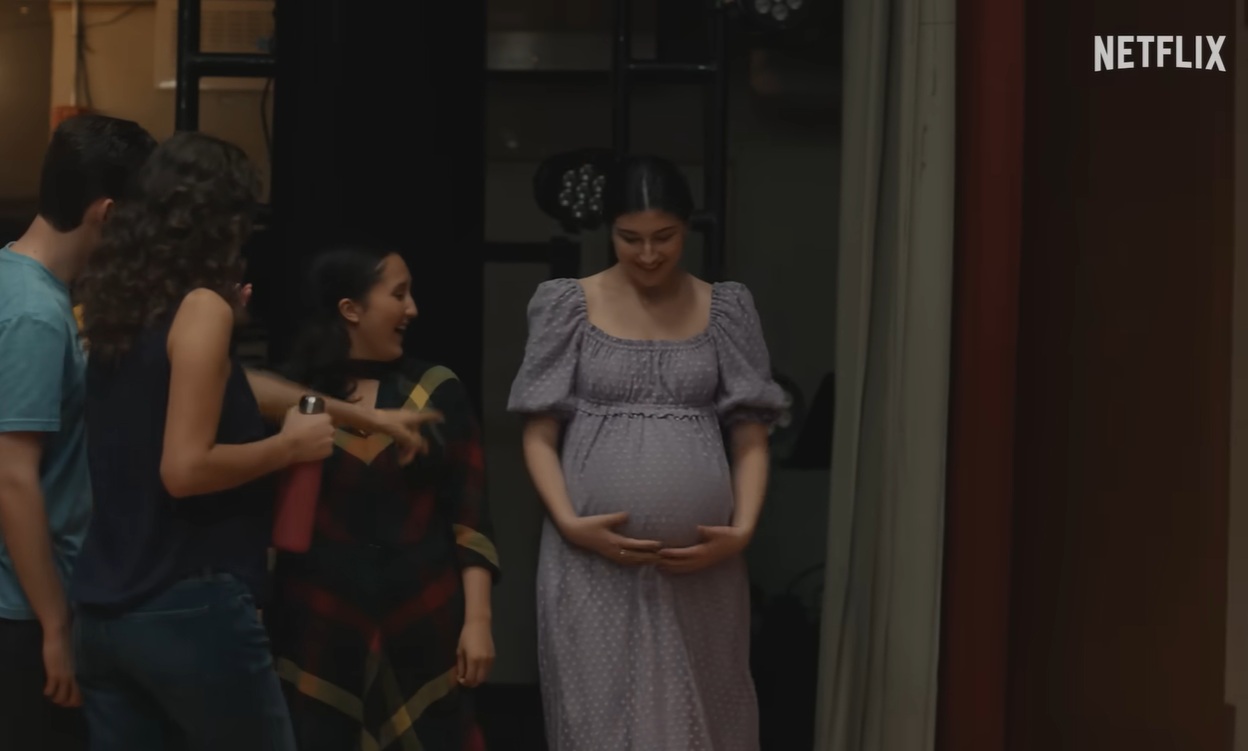
A big part of the movie takes place around a high school production of Waitress, and those scenes are packed with contrasts. You have dark auditoriums, bright stage lights, colorful costumes, backstage corridors, and faces constantly moving between shadow and spotlight.
That is exactly where HDR can make a difference.
In standard HD, those extreme lighting changes can sometimes look flatter than they should. In HDR, the darker areas retain more detail while the bright stage lighting has considerably more punch. The result isn’t simply “more colorful.” It’s a picture that feels deeper and more cinematic.
And I particularly like that this isn’t a movie where the entire appeal of 4K comes down to giant landscapes or expensive CGI.
Here, the detail is in the little things: costumes, facial expressions, stage design, the texture of rooms, and the subtle lighting around the family scenes.
Those are the details that make a film feel filmic.
Sunny Sandler Is the Reason I’d Actually Recommend It
The technical presentation is nice, but let’s get one thing straight: nobody watches a 95-minute coming-of-age drama because Netflix has a shiny HDR badge.
The real reason to watch is Sophie Birenbaum.
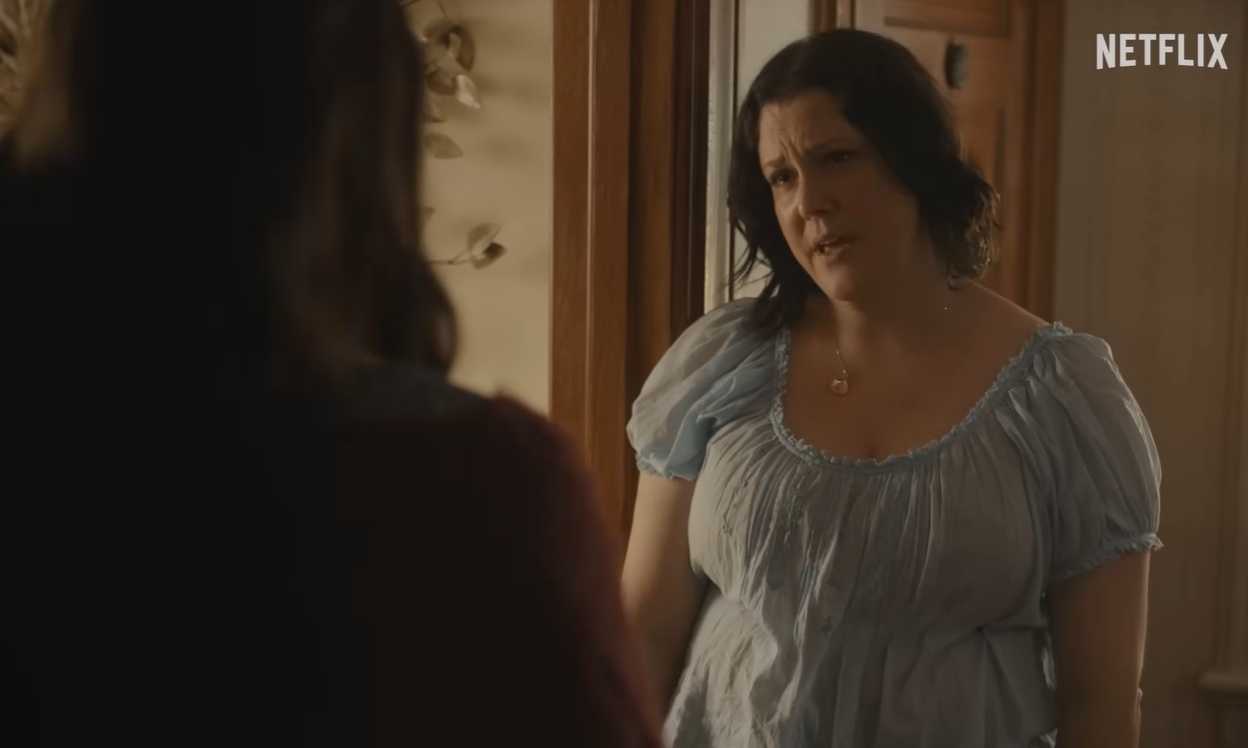
Sunny Sandler plays Sophie as a teenager who is simultaneously trying to grab her big opportunity on stage while dealing with something much heavier at home. Getting the lead in her school’s production should be the uncomplicated highlight of her year. Instead, her mother’s cancer returns, throwing the emotional balance of her life completely off.
That setup could have become unbearably manipulative very quickly.
Thankfully, the movie doesn’t treat Sophie as a walking tragedy. She’s still a teenager. She’s ambitious, excited, frustrated, funny, selfish at times, and occasionally completely overwhelmed. That’s what makes her more believable.
I also think Melanie Lynskey is an excellent choice for Elizabeth. She brings the kind of warmth that makes the family relationship work without needing every scene to announce how emotional it is.
Some of the quieter moments between Sophie and Elizabeth hit harder precisely because the movie doesn’t constantly scream for your attention.
The Theater Scenes Are Where the Movie Really Comes Alive
The scenes surrounding the school musical are probably my favorite part of the movie.
There’s something inherently cinematic about watching teenagers prepare for a stage production. You get the nervous energy backstage, arguments during rehearsals, costume changes, missed cues, technical problems, and then that strange moment when the curtains open and everything suddenly becomes serious.
Don’t Say Good Luck understands that contrast.
The movie can be messy and funny one minute, then suddenly quiet and intimate the next.
And that’s where Julia Hart’s visual approach works particularly well. The theater isn’t just a backdrop for the story. It becomes a visual representation of Sophie’s life. On stage, she knows what she’s supposed to do. She has lines. She has music. She has choreography.
Real life obviously doesn’t work that way.
That contrast gives the musical sequences an emotional purpose instead of making them feel like interruptions between dramatic scenes.
Dolby Vision or HDR10? Here’s What You Actually Need
If you’re watching on Netflix, the exact HDR format you see can depend on your television and playback hardware.
| Feature | What you can expect |
|---|---|
| Resolution | 4K Ultra HD / 2160p |
| HDR | Dolby Vision or HDR10, depending on device |
| Audio | Dolby Atmos / spatial audio where supported |
| Netflix plan | Premium for 4K HDR |
| Recommended connection | 15 Mbps minimum, with faster speeds preferable |
One thing I’d emphasize: don’t panic if your TV doesn’t display every badge you were expecting.
Your television, streaming box, HDMI connection, Netflix app, and account settings all have to cooperate. A fantastic 4K television doesn’t magically guarantee a 4K stream.
If Netflix is only showing HD, the problem may have nothing to do with the movie itself.
What You Need for the Best Netflix Picture
The easiest setup is a modern 4K smart TV with the Netflix app built in. That’s one less piece of hardware to troubleshoot.
If you’re using an external streaming player, make sure the device supports 4K HDR output and that the HDMI chain isn’t limiting the signal.
I’d also check the Netflix playback setting. If you’ve previously changed your account to use less data, you may be unknowingly limiting the quality.
The basic checklist is pretty simple:
- Netflix Premium for 4K HDR streaming.
- A 4K television or display with HDR support.
- A compatible Netflix application or streaming device.
- A stable internet connection capable of sustaining 4K streaming.
- Proper HDMI/HDCP compatibility when using external equipment.
- Netflix playback quality set appropriately.
You don’t necessarily need an absurdly expensive home theater system. A decent modern OLED or QLED television, a competent streaming device, and reliable internet can already make this movie look fantastic.
Is Dolby Atmos Actually Noticeable?
This is another area where I think expectations need to be realistic.
Dolby Atmos isn’t going to suddenly make your living room sound like a Broadway theater if you’re watching through two tiny television speakers.
But with a proper soundbar or surround system, the musical material has more room to breathe.
The stage performances benefit particularly well from spatial audio because there are vocals, music, audience reactions, and ambient sounds competing for attention. A good surround setup gives those elements more separation.
Even the quieter domestic scenes can benefit from a stronger audio system because dialogue doesn’t have to fight with the rest of the soundtrack.
For me, though, I’d prioritize the screen first. If you have to choose between upgrading your TV and chasing the perfect Atmos setup, Don’t Say Good Luck is a movie where the visual upgrade is probably easier to appreciate.
A Small Warning About the 4K HDR Hype
Here’s my slightly unpopular opinion: don’t upgrade your entire home theater just for this movie.
Seriously.
If you’re watching on a good 1080p screen, the story doesn’t suddenly become worse.
The emotional core of Don’t Say Good Luck isn’t hidden inside the HDR metadata. It’s in Sophie’s relationship with her mother, the pressure surrounding the school production, and the uncomfortable process of growing up when life refuses to follow the script.
That’s what stayed with me.
The 4K presentation simply gives those moments a better visual canvas.
Don’t Say Good Luck: Melanie Lynskey Cancer Storyline Explained in New Netflix Movie
Why I Think the Movie Works
What surprised me most about Don’t Say Good Luck is that it doesn’t seem interested in being another glossy teenage drama where every problem gets wrapped up neatly by the final scene.
Sophie wants something. She gets it. Then reality makes that achievement much more complicated.
That’s a very recognizable kind of teenage experience.
You can be incredibly excited about something happening in your life while simultaneously feeling terrible about something else. You can be selfish and loving in the same afternoon. You can desperately want your parents to understand you while also being completely unable to explain what you’re feeling.
That emotional contradiction is where the film finds its strongest material.
And having the school musical running alongside the family crisis gives the story a natural rhythm. Rehearsals, performances, family conversations, disappointments, small victories — everything keeps moving.
It feels less like a checklist of “teen movie moments” and more like someone actually remembered what being that age can feel like.
Should You Watch Don’t Say Good Luck in 4K HDR?
Absolutely, if your setup supports it.
I wouldn’t call 4K HDR a requirement. But if you’ve got Netflix Premium and a compatible television, there’s very little reason not to use the highest-quality stream.
The combination of theatrical lighting, colorful costumes, darker interior scenes, close-up performances, and musical sequences gives HDR plenty to work with. Dolby Vision or HDR10 can make the image noticeably richer, while spatial audio adds another layer to the musical performances.
More importantly, though, the technology doesn’t overshadow the movie.
That’s always the test for me.
A technically beautiful film that leaves you cold isn’t much use. Don’t Say Good Luck has something underneath all those pixels: a surprisingly heartfelt story about ambition, family, grief, and the strange emotional chaos of growing up.
So if you’re scrolling through Netflix looking for something to watch tonight, I’d give it a shot.
And if you’ve got a 4K HDR setup?
Turn the lights down, put the TV in its proper picture mode, and let the theater scenes do their thing.